Scan the real product. Ship a precise digital twin.
LiDAR capture for teams that need accuracy, not approximations.
Use the ConvertInAR iOS app to scan physical products with Apple LiDAR, then sync millimeter-accurate models straight into your dashboard for QR publishing.
LiDAR-grade
Capture quality
iPhone 12 Pro+
Supported devices
Auto-sync
To dashboard
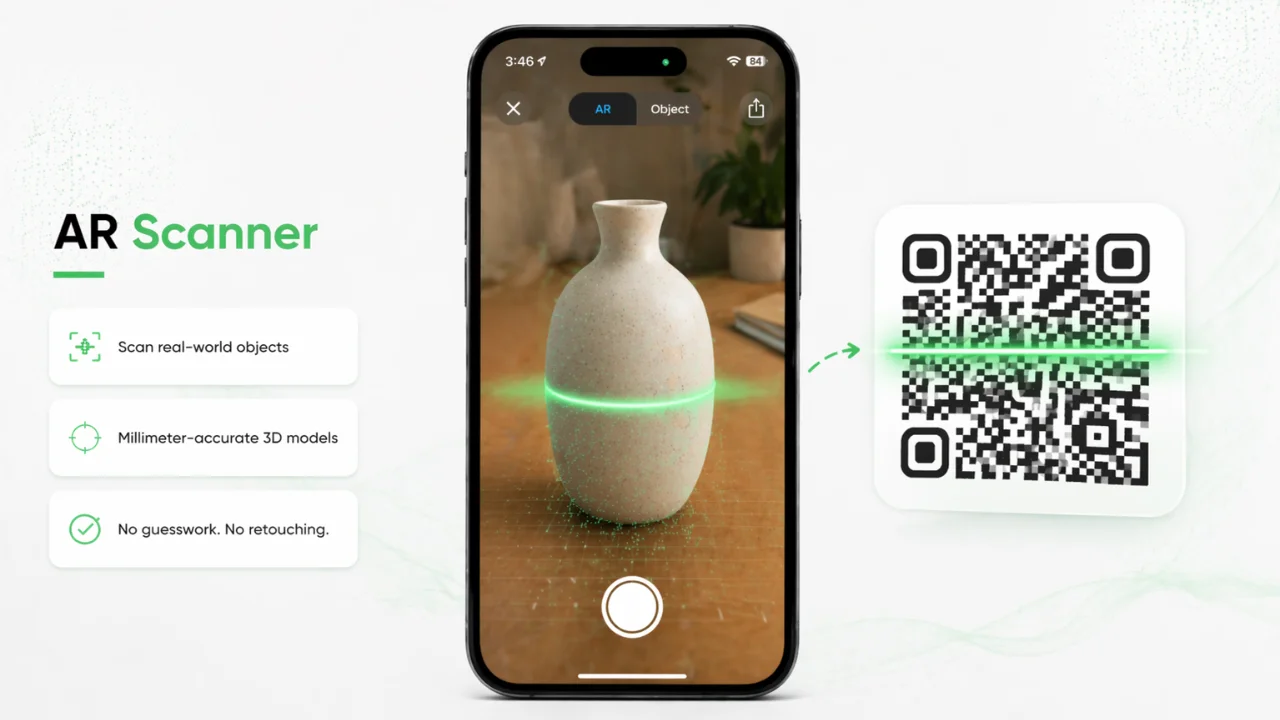
Why teams choose AR Scanner
Use the ConvertInAR iOS app to scan physical products with Apple LiDAR, then sync millimeter-accurate models straight into your dashboard for QR publishing.
- ✓LiDAR-powered capture for millimeter precision
- ✓Works on iPhone 12 Pro and newer
- ✓Syncs instantly to your ConvertInAR dashboard
Frequently Asked
Questions
AR Scanner uses Apple LiDAR and works on iPhone 12 Pro and newer Pro models. Scan physical products in the ConvertInAR iOS app and sync models to your dashboard.
LiDAR capture delivers millimeter-grade accuracy for real-world objects, making AR Scanner ideal when precision matters more than speed. AI Image to 3D is faster when a single photo is enough.
Yes. Scans auto-sync to your ConvertInAR dashboard so you can manage, publish, and share AR-ready models alongside assets created with Image to 3D or Text to 3D.
Scan products, furniture, footwear, packaging, prototypes, and other physical items with clear geometry. LiDAR works best on objects with defined shape and surface detail.
Yes. Once synced, scanned models can be published as browser-based WebAR experiences and shared via AR QR Codes — no app required for your customers to view them.
Download the ConvertInAR scanner app from the App Store. Usage limits and publishing features depend on your ConvertInAR subscription plan.
Related AR pages
Continue exploring the full ConvertInAR ecosystem by comparing use cases and pricing options.